

We need define security roles in web.xml.
Here, security-role operator created by adding following into web.xml
<security-role>
<description>Application USER</description>
<role-name>operator</role-name>
</security-role>
Then define the resource path Uniform Resource Identifier (URI) for which security to be applied
<security-constraint>

        <web-resource-collection>
        	<web-resource-name>Secured Path</web-resource-name>
        	<url-pattern>/resourcepath</url-pattern>
      	</web-resource-collection>

      	<auth-constraint>
        	<role-name>operator</role-name>
      	</auth-constraint>

        <user-data-constraint>
          	<transport-guarantee>NONE</transport-guarantee>
<!-- CONFIDENTIAL - will redirect from http:// to https:// -->
      	</user-data-constraint>
</security-constraint>
Now Goto tomcat/conf/server.xml
Note
In production, it’s recommended to set the transport guarantee to “CONFIDENTIAL“, so that any access to resources via normal http request, such as http://localhost:8080/application/resourcepath, Tomcat will redirect the request to https request https://localhost:8443/application/resourcepath. Of course, the redirect https can be configure in The Tomcat’s conf/server.xml.
Then define auth-method type in deployment descriptor web.xml
<login-config>
<auth-method>BASIC</auth-method>
</login-config>
Goto tomcat-users.xml, define user for the role defined in the project deployment descriptor here it is operator.
<user username="appuser" password="123456" roles="operator"/>
Configure security realm in $Tomcat/conf/server.xml file. In this case, uses default UserDatabaseRealm to read the authentication information in $Tomcat/conf/tomcat-users.xml.
<GlobalNamingResources>

  <Resource name="UserDatabase" auth="Container"
            type="org.apache.catalina.UserDatabase"
            description="User database that can be updated and saved"
            factory="org.apache.catalina.users.MemoryUserDatabaseFactory"
            pathname="conf/tomcat-users.xml" />
</GlobalNamingResources>

<Realm className="org.apache.catalina.realm.UserDatabaseRealm"
           resourceName="UserDatabase"/>
Once everything is set restart the tomcat instance & deploy the application.
Check the uri
here
http://localhost:8080/application/resourcepath
should prompt for password. then enter the password you mentioned in the tomcat-users.xml, ie., here appuser / 123456
<user username="appuser" password="123456" roles="operator"/>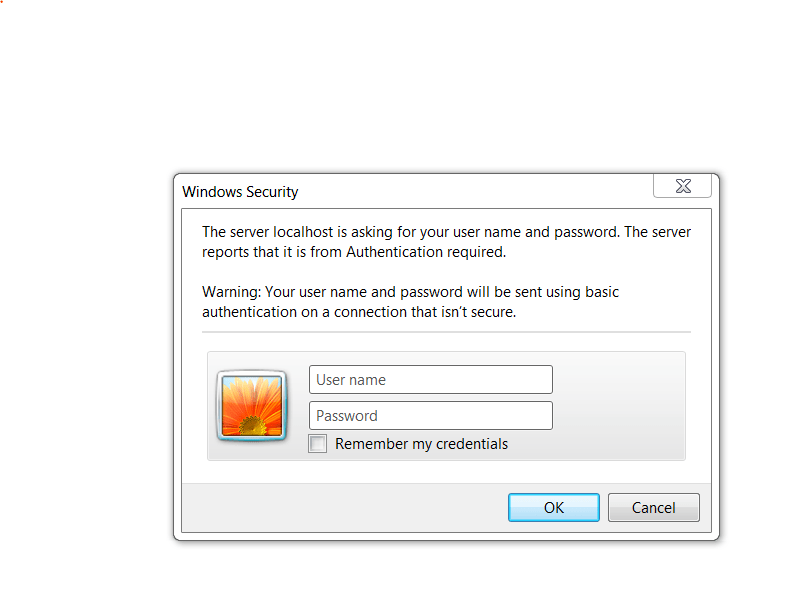

 Techiehints Software
Leave a comment